Alerts
User Interface
Alerts detect abnormal sensor behavior in real time and notify users via in‑platform messages, email, and SMS. The Alerts Manager lets you browse alerts and rules, and create, edit, activate/deactivate, or delete rules.
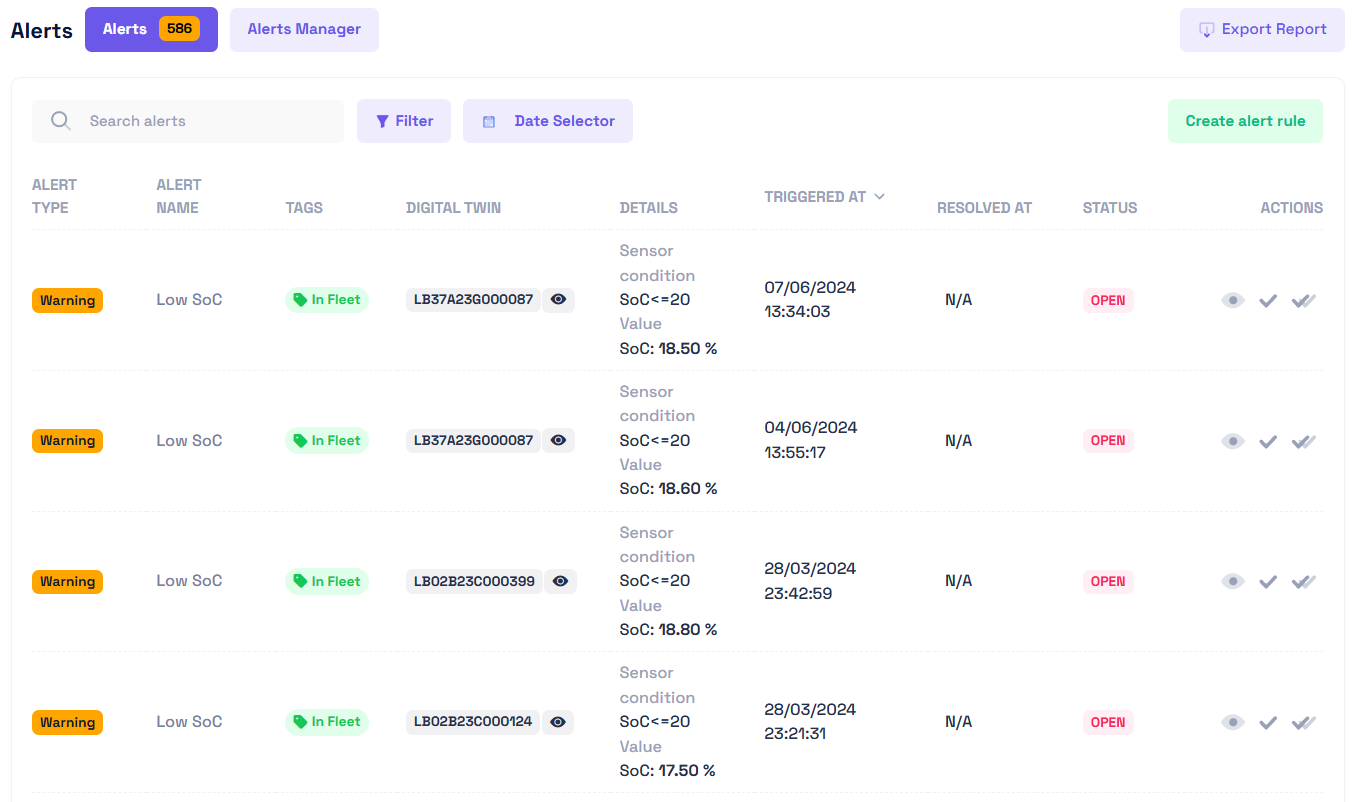
Primary actions:
- 🔁 Alerts / Alert Manager: Switch between generated alerts and alert rules
- ⬇️ Export Report: Generate an alert report (CSV, Excel, PDF)
- 🔽 Filter: Filter alerts and alert rules by name, asset, tag, start/end date, triggers
- 📅 Date Selector: Limit alerts and rules to a specific time range
- ➕ Create: Create a new alert rule
Alert are automatically created on sensor data upload if the alert rules condition are matched. You can't create Alerts manually
| Field | Description |
|---|---|
| ALERT TYPE | Severity classification (Critical / Warning / Info / Log) |
| ALERT NAME | Human‑readable alert label (often derived from its rule) |
| TAGS | Applied categorization tags for grouping/filtering |
| DIGITAL TWIN | Affected asset / twin identifier (click eye icon to open) |
| DETAILS | Condition summary: sensor model, operator, threshold, current value |
| TRIGGERED AT | UTC timestamp when the rule condition first became true |
| RESOLVED AT | UTC timestamp of resolution or N/A if still open |
| STATUS | Current state (OPEN / CLOSED) |
| ACTIONS | Row actions (View • Mark Resolved • Mark All Resolved) |
Filtering
Search
Use the search bar to instantly locate an Alert or Rule.
Typing a word or partial term automatically updates the table with matching results on any columns
Filter
Click Filter to open filtering options.
You can select multiple filters (for example, by Status and Type) to focus the results.
Clear filters to return to the full list.
All
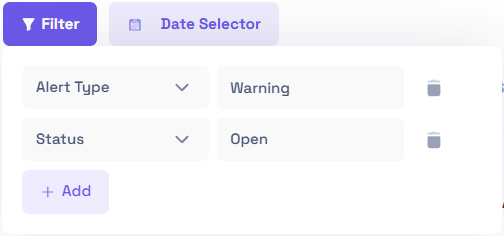
Filters are additive
Adjust the Date Range
Use the date selector to display only Alerts and Rules from a chosen period.
Once the range is applied, the table refreshes automatically.
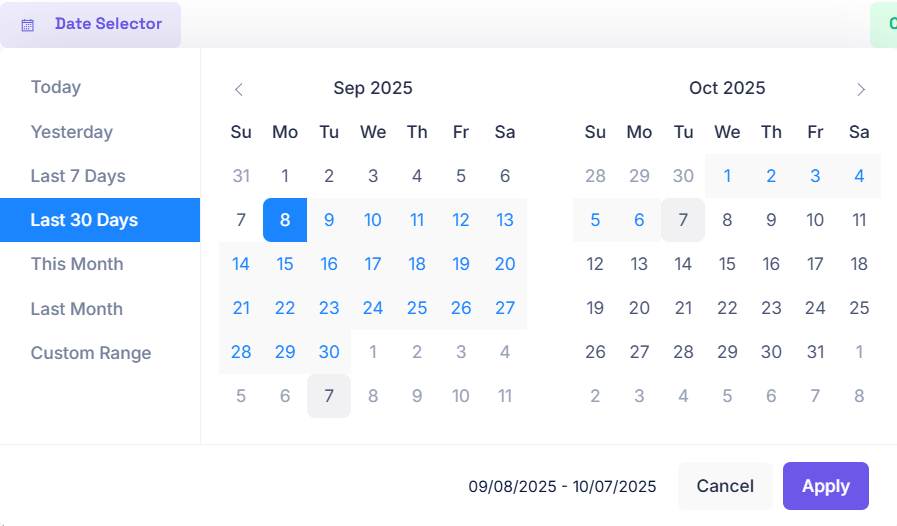
Export / Incident Report
Use the Export Report Button to download a CSV / PDF or Excel sheet containing the current datatable data The file downloads locally.
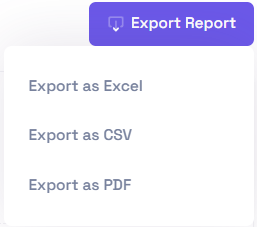
Example
"Alert Type","Alert Name","Tags","Digital Twin","Details","Triggered at","Resolved at","Status","Actions"
"Warning","Low SoC","In Fleet","LB37A23G000087","Sensor conditionSoCValueSoC: 18.50 %","07/06/2024 13:34:03","N/A","OPEN",""
"Warning","Low SoC","In Fleet","LB37A23G000087","Sensor conditionSoCValueSoC: 18.60 %","04/06/2024 13:55:17","N/A","OPEN",""
"Warning","Low SoC","In Fleet","LB02B23C000399","Sensor conditionSoCValueSoC: 18.80 %","28/03/2024 23:42:59","N/A","OPEN",""
"Warning","Low SoC","In Fleet","LB02B23C000124","Sensor conditionSoCValueSoC: 17.50 %","28/03/2024 23:21:31","N/A","OPEN",""
"Warning","Low SoC","In Fleet","LB02B23C000037","Sensor conditionSoCValueSoC: 14.70 %","28/03/2024 21:20:23","N/A","OPEN",""
"Warning","Low SoC","In Fleet","LB37A23K000076","Sensor conditionSoCValueSoC: 19.70 %","28/03/2024 19:32:58","N/A","OPEN",""
"Warning","Low SoC","In Fleet","LB10A22H000003","Sensor conditionSoCValueSoC: 19 %","28/03/2024 18:23:42","N/A","OPEN",""
"Warning","Low SoC","In Fleet","LB02B23C000345","Sensor conditionSoCValueSoC: 13.90 %","28/03/2024 16:40:48","N/A","OPEN",""
"Warning","Low SoC","In Fleet","LB37A23G000122","Sensor conditionSoCValueSoC: 11.10 %","28/03/2024 10:05:26","N/A","OPEN",""
"Warning","Low SoC","In Fleet","LB02B23C000527","Sensor conditionSoCValueSoC: 19.60 %","28/03/2024 05:03:18","N/A","OPEN",""
Controls
Alert Rules define conditions that generate alerts. From the Alerts Manager you can Create, Edit, Activate/Deactivate, and Delete rules.
Create Rule
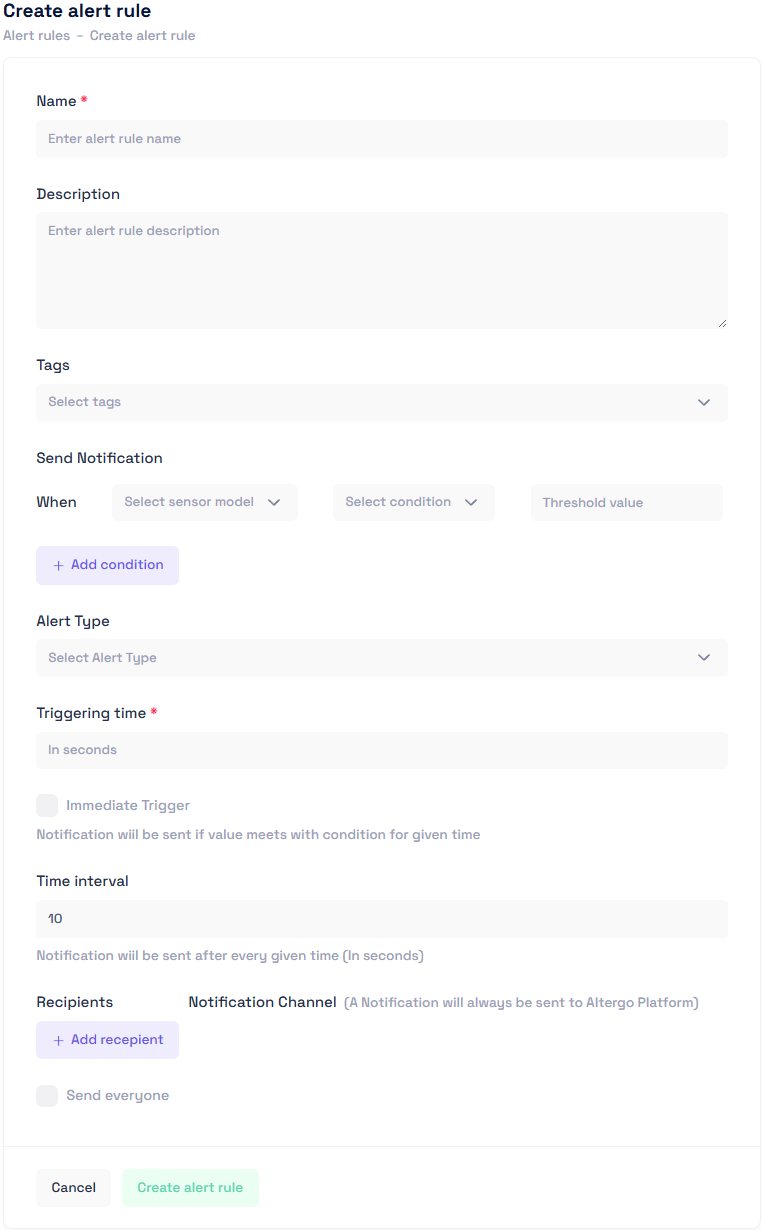
- Name Clear, descriptive rule name (appears in alert list).
- Description Optional context: purpose, scope, assumptions.
- Tags Group rules to specific asset cohorts for filtering/targeting.
- Send Notification / When
- Sensor model The metric or sensor you want to monitor.
- Condition Comparison operator (<, <=, >, >=, ==, !=) applied to sensor value.
- Threshold value The numeric/string value compared against live sensor readings.
- + Add condition Add additional AND criteria (if supported).
- Alert Type Severity: Critical / Warning / Info / Log (drives visibility & urgency).
- Triggering time * Seconds the condition must remain true before firing (Immediate Trigger overrides).
- Time interval Cooldown (seconds) between repeated notifications while condition persists.
- Recipients Target users; use Send everyone to broadcast to all (platform notification always sent).
- Notification Channel Email / SMS (select at least one if external delivery desired).
- Actions Create alert rule to save or Cancel to discard.
Triggering Time = elapsed time the condition must remain true before firing.
Rules Quick Actions
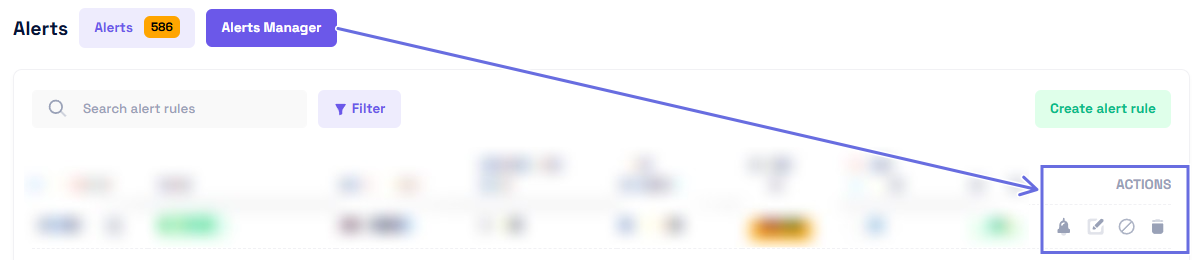
| Action | Icon | Result |
|---|---|---|
| View Generated Alerts | 🔔 | Opens list filtered to that rule |
| Edit | ✏️ | Modify rule parameters |
| Activate / Deactivate | ▶️ / 🚫 | Toggles rule state |
| Delete | 🗑️ | Permanently removes the rule |
Alerts Quick Actions
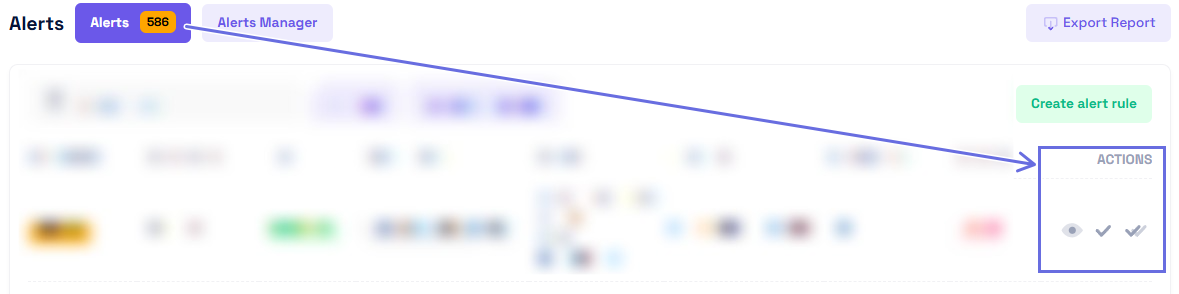
| Action | Icon | Description |
|---|---|---|
| View | 👁 | Opens visualization focused on triggering sensor data |
| Mark as Resolved | ✓ | Sets status to CLOSED |
| Mark All as Resolved | ✓✓ | Closes all alerts under the rule |
Statuses
- Open: Condition triggered and not resolved.
- Closed: Alert marked resolved by operator.
Additional Information
- Platform notifications are always sent (Email/SMS optional).
- Use Tags to scope rules to asset groups.
- Choose suitable Triggering Time to prevent noise from transient spikes.
- Time Interval acts as a cooldown between repeated notifications.
- Maintain consistent naming conventions for easier filtering and auditing.